
WordPress vs Wix: A Comprehensive Comparison for Website Building
When it comes to building a website, choosing the right platform is crucial. WordPress and Wix are two of the most popular choices, each offering distinct features and capabilities.
In this comprehensive comparison, we’ll delve into the strengths, weaknesses, and unique attributes of WordPress and Wix, helping you decide which one is better for your website-building needs.
WordPress: The Open-Source Giant
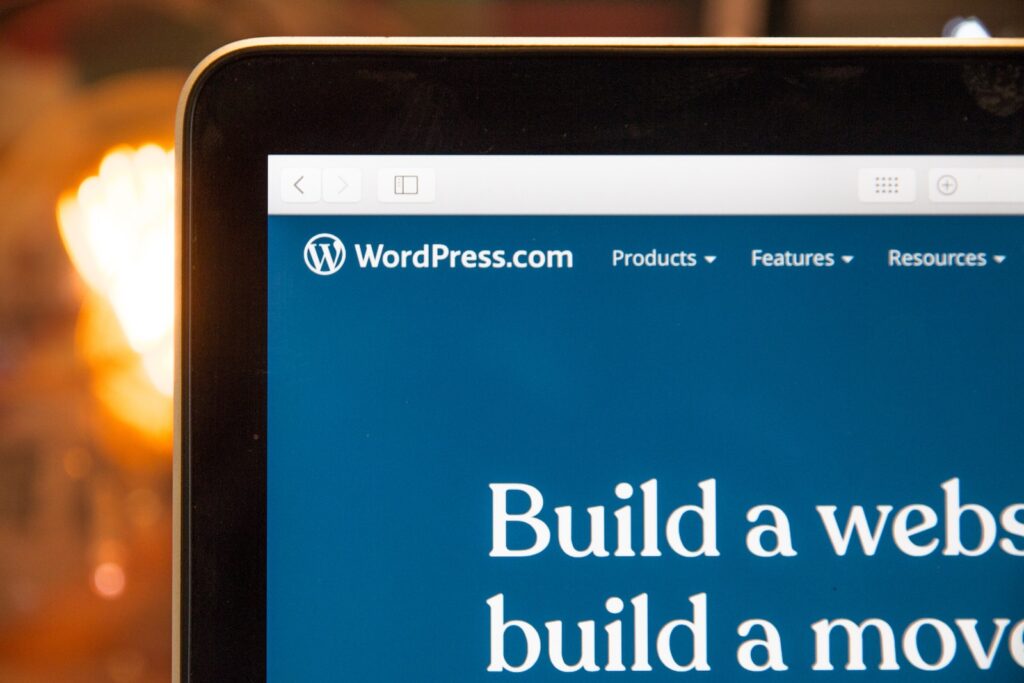
1. Open-Source Freedom: WordPress stands as an open-source platform, meaning it’s free to use, and you have complete control over your website’s code. This provides an unmatched level of freedom for advanced users.
2. Unmatched Flexibility: WordPress is incredibly flexible, able to power a wide range of websites, from personal blogs to large e-commerce stores. It’s an ideal choice if you have specific or complex requirements.
3. Plugin Power: One of WordPress’s major strengths lies in its extensive library of plugins. These plugins empower you to add features and functionalities to your website easily, ranging from SEO tools to e-commerce solutions.
4. A Strong Community: With a dedicated and extensive community, WordPress users have access to a wealth of support, themes, and plugins. If you encounter an issue or need specific functionality, there’s a good chance someone in the WordPress community has a solution.
Wix: User-Friendly and All-in-One

1. Exceptional User-Friendliness: Wix is renowned for its user-friendliness. It features a straightforward drag-and-drop builder, making website creation a breeze, especially for beginners.
2. All-in-One Solution: Wix offers an all-in-one solution, combining hosting, domain registration, and various website-building tools into a single platform. This approach simplifies the process, as everything you need is readily available.
3. Templates and Design Features: Wix excels in the design department. It provides a variety of visually appealing templates and design features, making it an ideal choice if aesthetics are a top priority.
1. Website Flexibility and Customization
WordPress: WordPress offers an unparalleled degree of website flexibility and customization. With thousands of themes and plugins, you can create a website tailored to your precise needs. If you have specific or unique requirements, WordPress is the way to go. In the ongoing debate of “WordPress vs Wix which one is better,” WordPress stands out for its ability to cater to a diverse array of website types and sizes.
Wix: Wix, while user-friendly, has limitations in terms of customization when compared to WordPress. This makes it an excellent choice if you need a basic website and prefer a simpler website-building process. However, it may not be the best fit if you require extensive customization or have ambitious plans for your website.
2. Ease of Use
WordPress: WordPress has a steeper learning curve but offers more extensive capabilities. If you’re willing to invest the time to learn, you’ll find that WordPress provides greater flexibility. The trade-off for a slightly higher learning curve is a platform that can accommodate your website’s growth and evolution.
Wix: Wix, on the other hand, is incredibly user-friendly. Its intuitive drag-and-drop builder simplifies the website creation process, making it perfect for beginners. If you’re new to website building and don’t want to delve into the technical aspects, Wix offers a user-friendly solution.
3. Design and Themes
WordPress: WordPress offers an extensive range of themes, many of which are free. This means you have a wide selection to choose from, and you can find themes to suit various industries and styles. Moreover, the flexibility of WordPress allows you to design from scratch or extensively modify existing themes.
Wix: Wix shines in the design and aesthetics department. It provides visually appealing templates suitable for various industries. If design is a primary concern and you want to create an eye-catching website without extensive customization, Wix’s selection of templates and design features can be a significant advantage.
4. SEO Capabilities
WordPress: WordPress is renowned for its SEO capabilities. It boasts plugins like Yoast SEO, which provides extensive tools for optimizing content, improving search engine rankings, and enhancing the overall SEO of your website. If SEO is a top priority, WordPress is often the preferred choice.
Wix: While Wix is SEO-friendly, it may not provide the same depth of SEO customization found in WordPress. If you need advanced SEO features and want full control over optimizing your website for search engines, WordPress offers a more comprehensive suite of SEO tools.
5. E-Commerce Features
WordPress: If you’re planning to run an e-commerce site, both platforms have e-commerce capabilities. WordPress, however, can support more complex e-commerce needs through plugins like WooCommerce. This makes it an excellent choice for businesses that intend to scale their online store and offer a wide range of products and services.
Wix: Wix is an ideal platform for small to medium-sized online stores. It features a simple and integrated e-commerce system, making it a convenient choice for those who require basic e-commerce functionality. If you have straightforward e-commerce needs, Wix may be the better option.
6. Performance and Speed
WordPress: The performance of your WordPress website largely depends on the quality of your hosting provider. With proper hosting, WordPress can be highly optimized for speed, providing a fast and responsive user experience. If performance and speed are critical factors, you can invest in high-quality hosting to achieve excellent results.
Wix: Wix offers reliable performance, and it’s known for providing a hassle-free website-building experience. However, it might not match the performance of a well-optimized WordPress site, especially if you’re operating a large website with significant traffic.
7. Security and Maintenance
WordPress: WordPress is open-source, which means you need to take proactive measures to ensure your website’s security. This includes keeping your plugins, themes, and core software up to date and implementing security plugins and practices. While this demands attention, it provides more control over your website’s security.
Wix: Wix handles security and maintenance for you, making it a simpler choice for users who want to avoid the technical aspects of maintaining a website. Wix’s managed hosting takes care of updates and security concerns, allowing you to focus on creating and managing your website’s content.
8. Scalability
WordPress: WordPress is highly scalable, capable of growing with your website’s needs. This makes it an excellent choice if you anticipate substantial growth in your online presence. Whether you’re operating a blog that’s steadily gaining readership or an e-commerce store with expanding product lines, WordPress can accommodate your evolving requirements.
Wix: While Wix is suitable for smaller websites and businesses, it may present limitations if you plan to scale your website significantly. If your website experiences substantial growth, you might find it challenging to migrate to another platform, as Wix may not offer the scalability and flexibility required for advanced needs.
9. Pricing Comparison
WordPress: WordPress itself is free to use, but you’ll need to budget for other essentials, such as hosting, themes, and plugins. The cost can vary significantly based on your choices, but you have the freedom to select the options that suit your budget.
Wix: Wix offers various pricing plans, including a free version with limited features. The cost of using Wix depends on your specific needs, and pricing plans are straightforward to understand. This simplicity can be beneficial if you prefer a clear overview of your expenses.
10. Support and Community
WordPress: The WordPress community is vast and dedicated, offering an array of resources for users. With thousands of forums, blogs, and tutorials, you’re likely to find solutions to your queries and support for your website-building journey. This extensive community support is a significant advantage for WordPress users.
Wix: Wix provides direct customer support, allowing you to seek assistance directly from the platform. While this support can be beneficial, it may not match the wealth of resources available for WordPress users. If you prefer the convenience of direct support and want a platform that simplifies the support process, Wix’s direct customer assistance can be a valuable feature.
Read Also: Unlock E-commerce Success: Step-by-Step Guide with Digital Marketing Strategies
Making the Decision

Choosing between WordPress and Wix ultimately comes down to your specific needs and preferences. If ease of use, user-friendliness, and design aesthetics are your top priorities, Wix may be the better choice.
However, if you require extensive customization, scalability, and the ability to manage technical aspects, WordPress is likely the ideal CMS for you.
Conclusion: WordPress vs Wix Which One is Better?
In the WordPress vs Wix debate, both platforms offer unique advantages, and the choice depends on your specific requirements. However, if you seek flexibility, scalability, and extensive customization, WordPress is often the recommended option.
The open-source nature of WordPress empowers you to create a website that caters precisely to your needs, and its vast plugin library offers a multitude of features. While WordPress may have a steeper learning curve, the control and customization it provides are invaluable for those with ambitious website plans.
FAQs: WordPress vs Wix
1. Is WordPress or Wix better for beginners?
Wix is often considered more beginner-friendly due to its user-friendly interface and simplified website-building process. WordPress has a steeper learning curve but offers greater flexibility for users willing to invest time in learning.
2. Can I switch from Wix to WordPress or vice versa?
Yes, it’s possible to migrate from Wix to WordPress or from WordPress to Wix. However, the migration process can be complex, and it’s essential to consider your long-term goals before making the switch.
3. Are there any limitations to using Wix or WordPress?
Wix is a fantastic solution for smaller websites but may have limitations in customization and scalability. WordPress offers more extensive customization options and scalability but requires more attention to security and maintenance.
4. Which platform is better for SEO?
WordPress is known for its extensive SEO capabilities, thanks to plugins like Yoast SEO. While Wix is SEO-friendly, it may not provide the same depth of SEO customization.
5. What is the cost difference between WordPress and Wix?
WordPress is free to use, but you’ll need to pay for hosting, themes, and plugins. Wix offers a range of pricing plans, including a free version with limited features. The cost will depend on your specific needs and preferences.